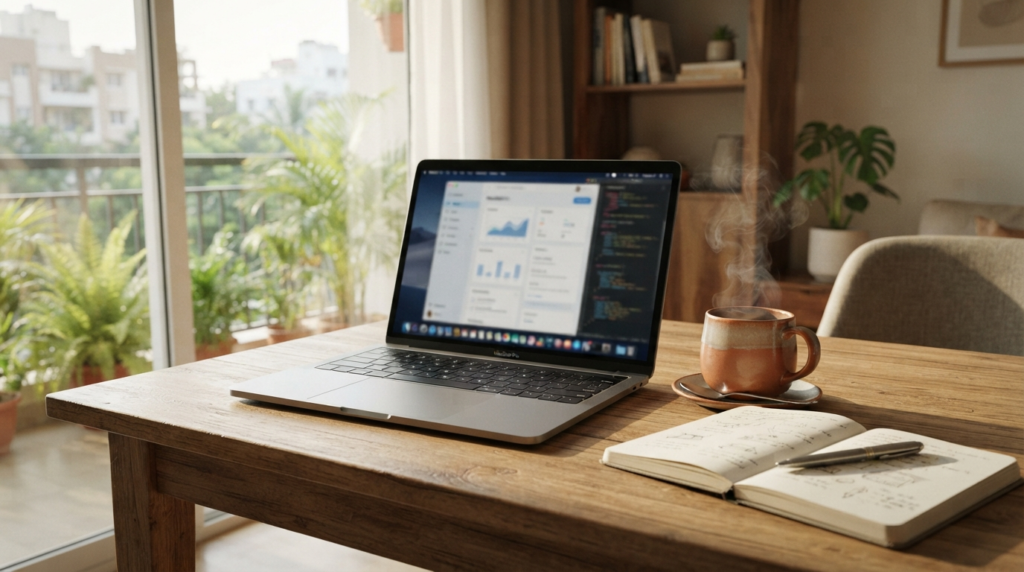
Whether you are logging in from a high-rise in Gurugram or a quiet home office in Bengaluru, your laptop is the single most important tool in your professional arsenal. In 2026, the shift toward flexible work arrangements has turned the humble portable computer into an essential workstation that demands peak reliability.
Key Takeaways
- Prioritize a minimum of 16GB RAM and a high-efficiency processor to ensure your machine stays relevant through 2028.
- Battery life exceeding 12 hours under real-world conditions is now the benchmark for professionals working outside traditional office settings.
- Display quality matters more than ever; look for OLED or Mini-LED panels to reduce eye strain during long-haul virtual meetings.
- Local serviceability and warranty support across India remain critical factors when choosing a brand for business operations.
The Evolution of the Modern Mobile Workstation
The definition of a “work laptop” has fundamentally shifted over the last eighteen months. We are no longer just opening spreadsheets; we are running local AI-driven productivity agents, managing high-definition video calls, and multitasking across dozens of browser tabs. A study by the Ministry of Electronics and Information Technology highlights that digital workplace efficiency is now directly tied to hardware latency and thermal management. If your device throttles its performance because the fans are screaming, you are losing billable hours.
When evaluating a device for 2026, you must prioritize the Neural Processing Unit (NPU) capability. These new chips offload AI tasks from the CPU, keeping your system cool and extending your battery life during those marathon afternoon meetings. Surprisingly, the average user in India now spends over 5.5 hours per day in video-conferencing software, making an integrated 1080p or 1440p webcam with AI-noise cancellation a non-negotiable feature for your next purchase.
Furthermore, consider the build quality. If you are a digital nomad traveling between coffee shops in Pune or the tech hubs of Hyderabad, a magnesium-alloy chassis is worth the investment. It provides the rigidity needed to survive a cramped commute without adding unnecessary weight to your backpack. Aim for a total weight under 1.4 kilograms to ensure that portability does not become a physical burden.
Understanding Processor Performance and Thermal Efficiency
Your processor remains the heart of your experience, but in 2026, raw clock speed is secondary to power efficiency. The current generation of ARM-based and highly optimized x86 chips has changed the game, allowing for sustained performance without requiring the bulky heat sinks of the past. You should seek out processors that balance high-performance cores for heavy lifting with efficiency cores for background tasks like email syncing and security updates.
One fascinating reality of modern computing is that Intel and AMD have both integrated sophisticated power management features that learn your habits. If you work primarily in the evenings, your laptop can now predict when to throttle power to background apps, preserving your battery for your final project push. This “intelligent load balancing” is a feature you should look for in every product specification sheet this year.
Don’t be fooled by high core counts alone. A laptop with eight efficient cores will often outperform a poorly ventilated machine with sixteen high-power cores that thermal-throttle within ten minutes of heavy use. Look for reviews that specifically mention sustained performance in Cinebench or similar stress tests. If the performance drops by more than 15 percent after a 30-minute run, the cooling solution is likely inadequate for your long-term professional needs.
Display Quality and Ergonomics for Professionals
Staring at a screen for eight hours a day can lead to significant digital eye strain, a condition that has become a major occupational health concern. In 2026, the gold standard is an OLED display with a high refresh rate of at least 90Hz. The deeper blacks and improved contrast ratios make text appear significantly sharper, which is a massive help when reading dense documents or complex code.
Always check for the TÜV Rheinland Low Blue Light certification before buying. It is a simple indicator that the manufacturer has engineered the screen to mitigate the harsh wavelengths known to disrupt circadian rhythms. Additionally, ensure your screen has an anti-glare matte finish. While glossy screens look attractive in a showroom, they become unusable in offices with bright overhead lighting or when you are working near a window in a sun-drenched Indian afternoon.
If you frequently multitask, look for a 16:10 aspect ratio. The extra vertical space provided by this taller format is a game-changer for spreadsheets and web browsing. It allows you to see more rows in Excel or more of a website without having to constantly scroll. This minor hardware detail can save you thousands of tiny movements over the course of a work week, reducing repetitive strain and increasing your overall output.
Comparing Leading Business Laptops of 2026
Choosing the right machine involves balancing budget with longevity. The following table compares three top-tier contenders currently dominating the Indian enterprise market.
| Model | Processor Class | RAM | Target User |
|---|---|---|---|
| UltraBook X1 Pro | High-Efficiency AI | 32GB | Data Scientists/Managers |
| EliteStream 14 | Balanced Power | 16GB | General Office/Creative |
| WorkFlow Lite | Entry-Professional | 16GB | Administrative/Sales |
When analyzing these options, remember that RAM is rarely upgradeable in ultra-thin laptops. Do not skimp on memory today to save a few thousand rupees, only to find yourself struggling with a sluggish machine in 2027. Invest in at least 16GB of unified memory to ensure your operating system has the breathing room it needs to handle the background processes of modern enterprise security software.
Connectivity, Ports, and the Dongle Life
We have all experienced the frustration of sitting down in a boardroom, only to realize we lack the specific adapter required to connect to the projector. While the industry is moving toward a wireless-first future, the reality of Indian office infrastructure is that HDMI and USB-A ports remain essential. Do not purchase a laptop that forces you to carry a bag full of dongles just to function.
A high-quality business laptop should include at least two Thunderbolt 4 or USB4 ports, an HDMI 2.1 output, and a dedicated SD card slot if you work in creative media. Surprisingly, the Bureau of Indian Standards has recently updated guidelines for power delivery safety, meaning that when you buy a laptop with USB-C charging, you should ensure it is compatible with standard GaN chargers that are now widely available across the country.
One secret tip for frequent travelers: look for a laptop that supports “Always-On” USB charging. This allows you to use your laptop as a power bank to charge your smartphone or wireless earbuds even when the computer is turned off. It is a small convenience that proves invaluable when you are stuck at an airport or in a transit hub without a wall outlet nearby.
The most productive tool in your office is not the fastest processor you can afford, but the one that disappears from your mind entirely, allowing you to focus purely on the work at hand.
Maintenance and Long-Term Reliability
Your laptop is a major capital investment, and treating it with care is vital for its lifespan. In India, dust and high humidity are the primary enemies of internal components. Every six months, use a can of compressed air to gently clear the intake and exhaust vents. This simple act can lower your operating temperatures by several degrees and prevent the fan bearings from wearing out prematurely.
Data security is equally important. Ensure your hardware supports a physical webcam shutter and a biometric login, such as a fingerprint sensor or an IR camera for Windows Hello. Many of the premium laptops in 2026 come with a discrete TPM 2.0 chip, which is essential for modern data encryption. If your company enforces strict security policies, you must ensure your chosen device meets these hardware-level standards.
Finally, register your device on the manufacturer’s official portal within the first week of purchase. This not only validates your warranty but often grants you access to priority support channels. When your work depends on your machine, having a service center that can provide on-site repair in cities like Mumbai, Delhi, or Chennai is worth far more than the minor discount you might get from an unauthorized grey-market seller.
Frequently Asked Questions
Should I prioritize a 4K screen over a longer battery life?
For most office work, a 4K resolution on a 14-inch screen is overkill and significantly reduces your battery life. A QHD (1440p) display offers the perfect balance of sharpness and power efficiency for professional tasks.
Is it worth waiting for next year’s processors?
Technological progress is constant, but if you need a machine now, current 2026 models are exceptionally capable. The gains in the next generation are typically incremental, and the current hardware will easily serve your needs for the next three to four years.
Can I use a gaming laptop for remote work?
While gaming laptops are powerful, they are often heavy, have poor battery life, and feature designs that may not look professional in meetings. Unless you specifically need a dedicated GPU for 3D rendering or video editing, a dedicated business ultra-portable is a better choice.
How much storage is enough for a remote worker?
Aim for at least 512GB of NVMe SSD storage. If you work with large media files or local databases, 1TB is the recommended baseline to avoid the need for external drives, which can be easily lost or damaged while traveling.